I work at Cisco, and over the last few years, the single question I hear most from enterprise customers — financial services, healthcare, manufacturing, government — is some version of the same thing: "We know we need AI. We don't know where to start. Help us."
Not a vague interest. Real urgency. Boards asking about it. Competitors moving. Budgets appearing. And the teams in the room looking at their architect — looking at me — expecting an answer.
The part that frustrates me is how predictably most of them reach for the wrong answer first. They sign enterprise agreements with OpenAI or Microsoft or Anthropic, hand out API keys, and call it an AI strategy. Months pass. The bills are large. The productivity gains are marginal. Nothing has changed structurally, because nothing was built. They rented a tool — they didn't build a capability.
This series is my attempt to document what building that capability actually looks like — from the hardware that runs it to the software that makes it useful, based on real implementations I've designed and deployed for customers.
To make this concrete throughout the series, I'll reference two things constantly:
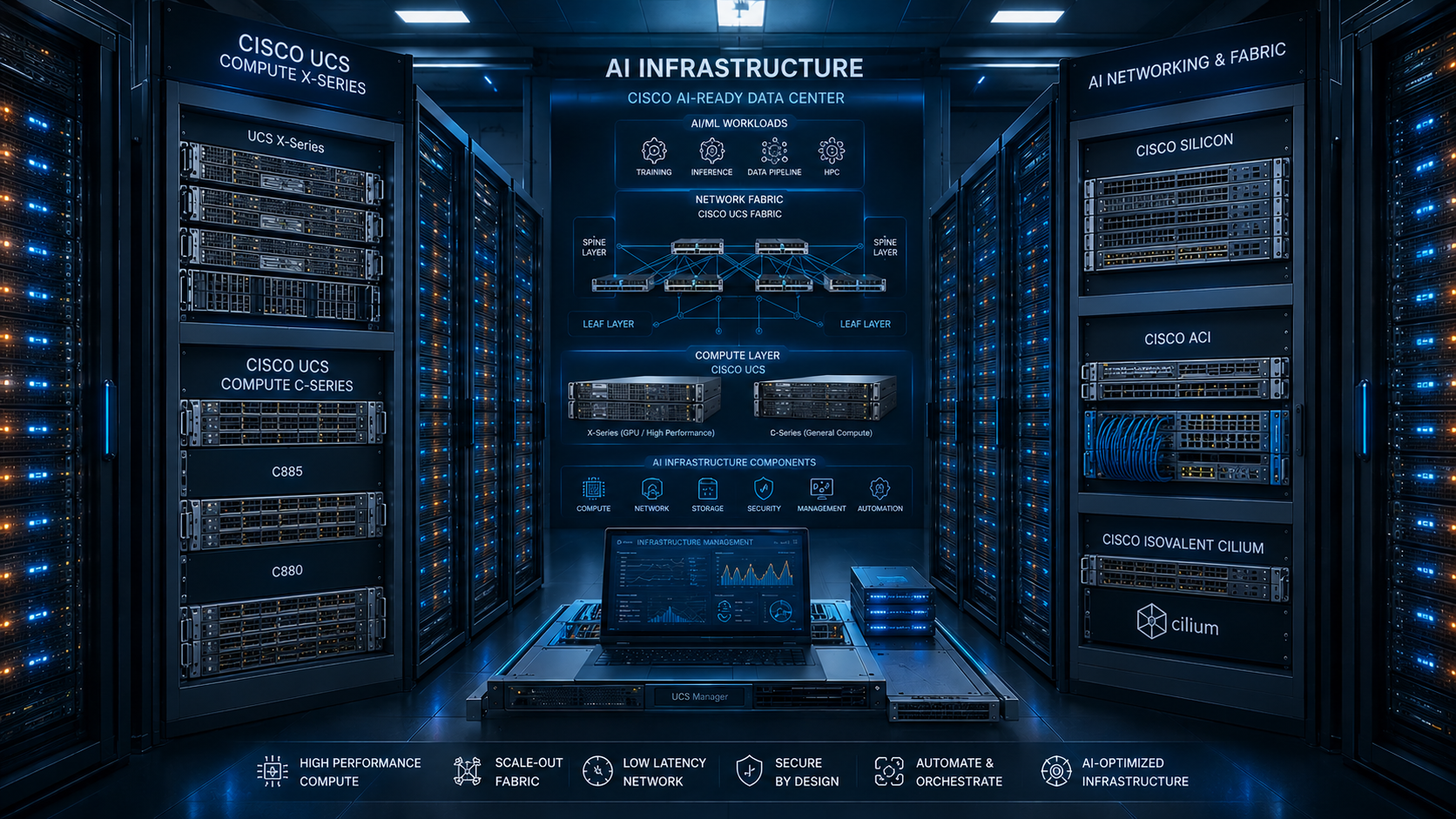
The hardware side — documented in my post Building Enterprise AI Infrastructure: What an Architect Actually Goes Through, which covers how I design and deploy AI clusters for enterprise customers using Cisco UCS, NVIDIA H100s, OpenShift, and purpose-built RoCE v2 networking. This is what a properly resourced enterprise deployment looks like.
The software side — documented through Getraind, an enterprise AI platform I built and run myself. Getraind doesn't run on Cisco UCS X-Series with eight H100s. It runs on old model servers with VMs — the kind of hardware most teams already have sitting in their data center. I built it that way deliberately, to prove that the software architecture is what defines what your AI platform can do. The primitives, the routing, the memory, the agent design — all of it works the same whether you're on a $5M GPU cluster or a repurposed server from three years ago.
One important thing to call out up front: Getraind uses NVIDIA NIM cloud APIs and Anthropic Claude APIs as its LLM backend — because I don't have H100s at home. For enterprise customers with Cisco UCS and NVIDIA hardware, the right answer is different: an NVIDIA AI Enterprise (NVAIE) subscription lets you run the exact same NIM model containers locally, on your own infrastructure, with zero data leaving your network. Same software architecture, same LLM Gateway code — you just swap the API endpoint from api.nvidia.com to your on-prem NIM server. That distinction is central to this entire series.
That's the core message: the architecture decisions matter far more than the hardware. Get the software right on modest infrastructure, then move the LLM backend on-prem when your hardware is ready. The code doesn't change.
About This Series
This is a multi-part technical series documenting how I designed and built a production enterprise AI platform — from the hardware that runs it to every layer of the software stack. Real code. Real configuration. Real failures before the things that worked.
The series is organized into two tracks:
Track 1 — How I Designed Enterprise AI
The complete design and implementation of the platform — hardware, software, and everything in between.
| Post | What It Covers | |
|---|---|---|
| 🏗️ | Building Enterprise AI Infrastructure | Cisco UCS, H100s, RoCE v2 networking, OpenShift — the hardware side |
| 🔀 | The LLM Gateway | Role-based routing, NVAIE vs. cloud API, 60–80% cost reduction |
| ⚙️ | GPU Hardware and Model Selection | Sizing math, tiered model strategy, NVAIE NIM on OpenShift |
| 🎯 | Designing AI for Your Enterprise | From business problem to agent topology |
| 🏭 | The Agent Factory | Declarative primitives, hot-reload, multi-agent handoffs |
| 🤖 | The Agent Builder Runtime | The AI that designs AI — 7-stage methodology, 8-point evaluator |
| 💬 | The Agent Chat Runtime | WebSocket → LangGraph → streamed response, end to end |
| 🧠 | Cache and Memory Architecture | How the platform gets faster and smarter over time |
| ⚡ | Redis in Enterprise AI | Rate limiting, token security, session management |
Track 2 — How I Tested and Evaluated Enterprise AI
(Coming soon) — Evaluation frameworks, red-teaming agents, measuring output quality, A/B testing model tiers, and how to know your platform is actually working.
Read straight through for the full picture, or jump directly to whatever layer matters most to you right now. The rest of this post gives you enough context to make that call.
The Cloud AI Trap
Let's start with the elephant in the room: cloud AI providers are not your partners. They are your competitors in the data business.
I've watched organizations sign multi-year deals with hyperscalers, hand out Copilot seats by the thousand, and declare victory on their AI strategy — only to realize a year later that they don't own anything they've built, their data has been moving through third-party inference servers, and the models have no knowledge of their business whatsoever.
When your employees use GitHub Copilot, every prompt — every piece of code, every question, every context window — traverses Microsoft's infrastructure. When they use Claude or ChatGPT, it goes through Anthropic's and OpenAI's servers. These companies have privacy agreements, yes. But agreements are not the same as control. Your data is no longer in your possession the moment it leaves your network.
Think about what gets typed into these tools in a real enterprise:
- Proprietary source code and architecture decisions
- Customer data embedded in prompts ("summarize this support ticket from Acme Corp...")
- Internal financial models, forecasts, M&A discussions
- HR conversations, performance reviews, legal documents
- Competitive strategy and product roadmaps
Every one of those becomes potential training signal for a model that your competitors also use. You are paying to make the competition smarter.
The Cost Reality Nobody Advertises
The per-seat pricing of cloud AI tools is designed to look cheap. $20/month for an individual feels trivial. But multiply it by 5,000 employees, run it for a year, add the API costs for the product integrations your engineering team builds on top, and you're looking at seven figures annually — for a service you don't own, can't customize, and can be cut off from the moment pricing changes.
Here's what makes it worse: you pay the same rate for a one-word response as you do for a deep reasoning chain. A router that classifies a user intent into one of five categories does not need Claude Sonnet. It needs a 7B model running on-prem that costs essentially nothing per query. But when you hand your team a cloud API key, that distinction disappears. Everything goes to the expensive model because it's the default, and nobody thinks about it.
In my production platform at Getraind — running on repurposed servers with VMs, not on the Cisco UCS and H100 clusters I build for customers — I run what I call an LLM Gateway — a routing layer that inspects every AI request and sends it to the cheapest model capable of handling it. A routing decision costs microseconds on a small model. A deep reasoning chain goes to Anthropic's Sonnet or NVIDIA NIM's most capable model. The difference in monthly cost between "everything to the premium model" and "intelligent routing" is not 10%. It is 60–80%.
I'll dedicate an entire post to the LLM Gateway architecture. It's one of the most impactful components in the stack.
What Enterprises Actually Need
Real enterprise AI is not a chatbot. It's a capability layer that runs across your entire organization — different roles, different data sources, different workflows, all governed by the same security and cost controls.
The questions I ask before designing any enterprise AI system:
- What business problems are we actually solving? Not "AI strategy" — specific, measurable problems. Reducing time-to-resolution in support. Automating procurement classification. Accelerating contract review. Each problem has different latency requirements, different model needs, different data access patterns.
- Who are the users, and what do they need to do? An engineer needs a code-aware assistant. An analyst needs a data-retrieval agent. A manager needs a summarization tool over internal documents. These are different agents with different memory, different tool access, different security contexts.
- What data do these agents need — and what must they never see? Data access is the hardest problem in enterprise AI. Getting this wrong doesn't just violate security policy; it violates people's trust in the system, and you may never recover adoption.
- How many users, and at what concurrency? This determines your GPU and infrastructure sizing — and that calculation is not intuitive. I'll cover it in detail.
Once you've answered those four questions, you're ready to design something real. Before that, you're buying hardware for a problem you haven't understood yet.
How I Think About the Architecture
What follows is a high-level map of the system I've built and what I'll cover in this series. Each layer gets its own deep-dive post. Think of this introduction as the blueprint — we'll build every room together.
The Two-Track Picture
This series covers AI implementation at two levels simultaneously, because your organization and your customers are usually at different points on the resource spectrum.
Track 1 — The Infrastructure Side (what enterprise customers deploy)
This is covered in depth in Building Enterprise AI Infrastructure: What an Architect Actually Goes Through. It walks through an 8-layer hardware and platform architecture — from physical compute and lossless RoCE v2 networking up through OpenShift, NVIDIA GPU Operators, and observability. If your organization is procuring or designing dedicated AI infrastructure — Cisco UCS X-Series, NVIDIA H100s, VAST storage, Cisco Nexus 400G fabric — that post is your starting point.
For a fully validated, end-to-end deployment reference: I co-authored the Cisco Validated Design (CVD) FlashStack for Enterprise RAG Pipeline with NVIDIA NIM, NIM Operator, and RAG Blueprint (published May 2025) — a rigorously tested architecture covering Cisco UCS X-Series, Pure Storage FlashArray/FlashBlade, NVIDIA AI Enterprise, NIM microservices, and OpenShift. It is the hardware track of this series made into a formal Cisco reference design.
On this hardware, the LLM backend runs locally via NVIDIA AI Enterprise (NVAIE). NVAIE is a software subscription from NVIDIA that includes optimized NIM (NVIDIA Inference Microservices) containers — the same models available via the NVIDIA cloud API, but running entirely inside your data center on your H100s. Your prompts never leave your network. This is the answer to the data sovereignty and cost-at-scale problems that cloud AI cannot solve.
Track 2 — The Software Platform Side (what Getraind implements)
Getraind doesn't run on that hardware. It runs on old model servers with VMs — deliberately so, to prove the software architecture is the part that matters. Because I don't have NVIDIA H100s available to me personally, Getraind uses NVIDIA NIM cloud APIs and Anthropic Claude APIs as its LLM backend. This is the pragmatic starting point — not the enterprise end state. Everything below works on what you already have:
┌──────────────────────────────────────────────────────────────────────────┐
│  AI Studio (UI)                                                          │
│  Design agents · Manage primitives · Chat with agents · Observe traces   │
├──────────────────────────────────────────────────────────────────────────┤
│  Agent Runtime                                                           │
│  WebSocket streaming · LangGraph execution · Per-user session management │
├───────────────────────────────────┬──────────────────────────────────────┤
│  Agent Builder Runtime            │  Agent Chat Runtime                  │
│  Meta-agent that designs agents   │  Executes user-defined agents        │
│  7-stage methodology · Artifact   │  Tool calls · Memory access          │
│  generation · Filesystem writes   │  RAG · Human-in-the-loop             │
├───────────────────────────────────┴──────────────────────────────────────┤
│  Agent Factory                                                           │
│  Declarative primitives (.md files) → LangGraph graphs                   │
│  Hot-reload · Per-user graph caching · Topology compilation              │
├──────────────────────────────────────────────────────────────────────────┤
│  LLM Gateway                                                             │
│  Role-based model routing · Automatic failover · Cost-aware dispatch     │
│  On-prem: NVAIE NIM containers (local, no data leaves network)           │
│  Dev/Getraind: NVIDIA NIM cloud API + Anthropic Claude API               │
├──────────────────────────────────────────────────────────────────────────┤
│  Cache + Memory Layer                                                    │
│  ExactCache · SemanticCache · NodeOutputCache                            │
│  Episodic · Semantic · Procedural · Enterprise-wide memory               │
├──────────────────────────────────────────────────────────────────────────┤
│  Redis                                                                   │
│  Rate limiting · WebSocket token enforcement · Session registry          │
└──────────────────────────────────────────────────────────────────────────┘
The two tracks are complementary, not sequential. You can start building the software platform today on modest hardware with cloud APIs as your LLM backend, and migrate to on-prem NVAIE inference as your scale justifies it. The architecture doesn't change — only the LLM endpoint URL does. That's the design principle baked into the LLM Gateway from day one.
Let me walk through each layer of the software stack and give you a taste of what makes it interesting — and hard.
A Taste of Each Layer
The LLM Gateway
The first thing I built, and the most economically impactful. Every AI request carries a role — router, thinker, validator, executor. Each role maps to a specific model with baked-in temperature and token limits. A routing decision goes to a 7B model at temperature 0.0 with a 32-token budget. A deep reasoning chain goes to the best model available with an 8192-token budget. The gateway handles automatic failover between providers with no human involvement. In production, 40–65% of requests are served by the smallest, cheapest model tier. The cost difference vs. sending everything to the premium model: 60–80%.
For enterprises with Cisco UCS and H100s: the gateway points at an on-prem NVAIE NIM server instead of the cloud API. One config value. Zero code changes. Prompts never leave the building.
GPU Hardware and Model Selection
Not "how many GPUs?" — that's the wrong question. The right question is: what does your request distribution actually look like, and which model tier serves each band of that distribution? A tiered model strategy consistently reduces GPU footprint by 60–70% vs. running one large model for everything. This post covers the memory math, the KV cache overhead calculation, and the NVAIE NIM container deployment configuration on OpenShift for both single-node and distributed multi-GPU inference.
Designing AI for Your Enterprise
Before any hardware or code: four questions that determine whether your enterprise AI succeeds or fails. What specific problem are we solving? Who are the users and what does their actual workflow look like? What data must the agent access — and what must it never see? How many users, at what concurrency? Skip these and you build the wrong thing with the right technology. This post also covers the four agent topology patterns that cover 90% of enterprise use cases.
The Agent Factory
An agent is a markdown file with YAML frontmatter — topology, prompts, metadata. No Python, no deployment pipeline. The factory reads the file, compiles it into a LangGraph graph, and caches it. If the file changes, the next request gets the new graph. Hot reload, zero downtime. This is what makes it possible for non-engineers to design agents — the whole cycle from "I want a new agent" to "it's running" is minutes, not weeks.
The Agent Builder Runtime
The meta-agent: an AI whose job is to design other AI agents. A 5-node LangGraph topology — architect, router, thinker, evaluator, writer — guided by a 7-stage design methodology. The evaluator runs an 8-point quality checklist before any artifact reaches the filesystem. Routing coverage gaps, missing iteration limits, undeclared tools — all caught automatically. No structurally defective agent reaches production.
The Agent Chat Runtime
Eight steps from user message to first streamed token: HMAC token validation with Redis single-use enforcement, rate limiting, graph resolution, state construction, LangGraph execution, memory injection, portal tool calls, and human-in-the-loop approval waits. Time to first token on the happy path: 150–300ms.
Cache and Memory Architecture
Three cache layers (exact, semantic, node output) absorbing 40–65% of computation. Four memory layers (episodic, semantic, procedural, enterprise-wide) that accumulate knowledge across every interaction. The platform on day 365 is dramatically more useful than on day 1 — not because the model improved, but because everything it knows about your organization, your users, and your workflows has been building the entire time.
Redis in Enterprise AI
Three key namespaces, each doing exactly one job: single-use HMAC token enforcement (replay attack prevention), sliding-window per-user rate limiting, and WebSocket session registry for future multi-worker scaling. Full Docker Compose configuration, async Python client, and graceful degradation patterns — because Redis unavailability is not a fatal failure.
What Getraind Proves
Getraind runs all of this on old model servers with VMs — not on Cisco UCS clusters. That's intentional. The software architecture is the part that matters. When I work with enterprise customers buying UCS clusters and H100s, the same stack runs on that hardware with NVAIE serving models locally. The infrastructure post covers the hardware side. This series covers the platform. Together they're the complete picture.
If you want to go deeper on the raw ML mechanics — building a transformer architecture from scratch, generating synthetic instruction datasets (JSONL for LLM fine-tuning), LoRA fine-tuning on domain-specific data, or unsupervised fine-tuning approaches — that work is documented in my open-source AI Lab training repository on GitHub. It's a separate track from the platform architecture, but it proves the hands-on ML skills that inform every design decision in this series.
The platform itself is also open source: DCAF (DataCenter AI Frameworks) is a fully containerized GenAI stack — FastAPI + LangChain/LangGraph backend, React frontend, Ollama local inference, MongoDB Atlas for vector search, NATS for decoupled GGUF inference, OpenVINO INT4/INT8 for CPU-only environments, and NVIDIA NIM integration for Cisco UCS X AI Pod. The architecture patterns covered in this blog series are the same patterns running in that codebase.
The benchmark I hold enterprise AI to: fast to deploy, safe with your data, economical to operate, and so useful that adoption is not a change management problem — it's a capacity management problem.
Questions, counterarguments, or war stories from your own enterprise AI deployments? Reach out or find me on LinkedIn. I read everything.